

Best Field Workforce Management Software for Small and Growing Businesses
What field workforce management software does, the 12 features to check, how AC, CCTV, solar and construction teams use it, and how to choose with confidence.
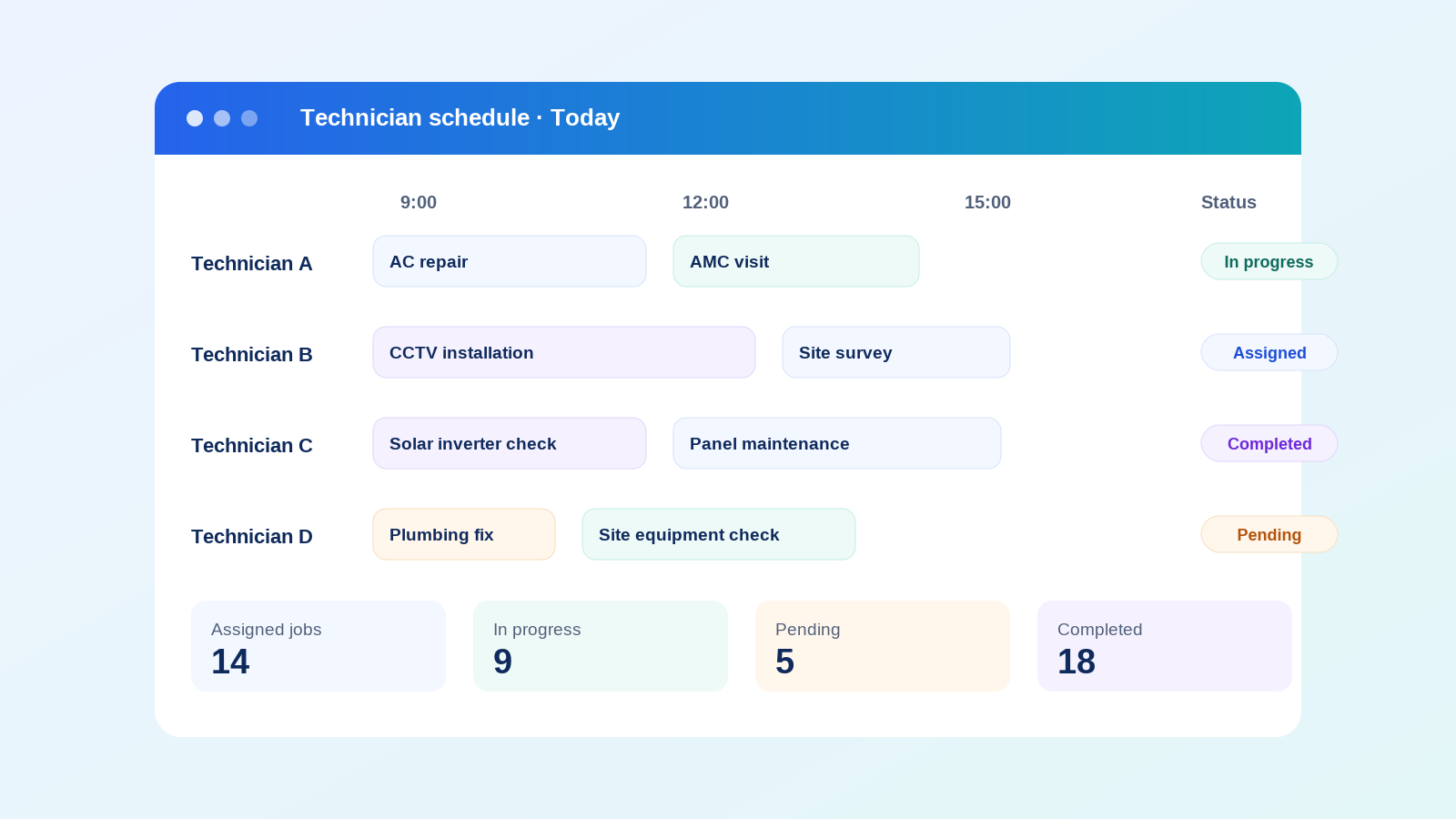
A service business with three technicians can run on phone calls and a shared sheet. At ten or twenty, the same habits start to break. Jobs are assigned over WhatsApp, nobody is sure who is free, customers call to ask where the technician is, and service records sit in notebooks. This is the point where Field Workforce Management Software starts to pay for itself.
Field Workforce Management Software gives the office and the field team one shared view of employees, schedules, job assignments and job progress. This guide explains what it is, which problems it solves, the 12 features to check, how different industries use it and how to choose the right system for a small or growing business. It is written for owners and managers of AC, CCTV, solar, electrical, plumbing, construction and maintenance businesses.
What Is Field Workforce Management Software?
Field workforce management software is a business system that helps companies organise employees who work at customer sites. It stores employee and technician details, schedules work, assigns jobs, tracks job status and keeps the office and field teams coordinated. It is sometimes called a field workforce management system, field employee management software or field staff management software.
How it works
- A customer request or job is recorded once, with the customer, site, work type and priority.
- A manager assigns the job to a technician after checking availability, skills and workload.
- The technician sees the job on a phone, travels to the site and updates the status as work progresses.
- Notes, photos and parts used are saved against the job.
- The manager reviews pending and completed jobs without calling anyone.
How it differs from general employee management
General employee management covers records such as joining details, leave, attendance and payroll for people who mostly work in one place. Field workforce management deals with people who move between sites. Its main questions are different: who goes where, when, for which job, and what happened when they got there. Field technician management software is built around jobs and schedules rather than around office attendance.
Who needs it
Field service workforce management matters to any business that sends employees to customer locations, once the team outgrows memory and messages. Typical examples include:
- An AC company dispatching technicians for repairs, installations and AMC (annual maintenance contract) visits.
- A CCTV installer sending teams to survey, install and maintain systems at commercial sites.
- A solar company coordinating installation crews and later service visits.
- A construction contractor allocating workers and supervisors across several sites.
- A maintenance company assigning technicians to equipment in factories and buildings.
Why Do Small and Growing Businesses Need Field Workforce Management Software?
Small and growing businesses need it because coordination effort rises faster than headcount. Every new technician adds new schedules, new jobs and new questions, and manual methods cannot show the whole picture. Seven problems appear again and again.
Difficulty Managing Multiple Field Employees
With a handful of people, the owner knows where everyone is. As the team grows, the owner becomes the switchboard: every question about who is free, who is delayed and who has the keys goes through one phone. Field employee management software replaces that dependence on one person’s memory with a shared record.
Manual Job Assignment and Scheduling
Assigning jobs through calls, messages and spreadsheets leads to double bookings, forgotten jobs and last-minute changes that never reach the technician. A message can be missed, and a spreadsheet may not show a technician’s other commitments. Workforce scheduling software puts each assignment on a schedule that everyone can see.
Lack of Job Progress Visibility
Managers need to know which jobs are assigned, ongoing, pending and completed. Without that view, delays are noticed after the customer complains. Status tracking turns “has he reached yet?” into a glance at the job list.
Communication Gaps Between Office and Field Teams
When instructions travel through calls and chats, details get lost. The technician arrives without the unit model, the customer’s earlier complaint or the right contact number, and the office learns the result hours later. A shared job record keeps instructions, notes and updates in one place.
Uneven Workload Distribution
Dispatch often drifts toward the technician who answers the phone fastest or the one the manager trusts most. That person becomes overloaded while others have gaps in the day. Seeing jobs per technician per day makes it easier to rebalance before the week goes wrong.
Difficulty Managing Multiple Customer Locations
Jobs spread across a city or across several branches create travel time, clashes and unclear ownership. A manager who cannot see the day’s jobs by technician and by area cannot group nearby visits or find the closest free person for an urgent call.
Manual Reporting and Administrative Work
Job counts, pending work and technician performance are often compiled by hand at the end of the week. This takes time, introduces errors and means decisions are made on old numbers. Reports built from live job records are quicker and more reliable.
12 Essential Features to Look for in Field Workforce Management Software
Use the twelve features below as software selection criteria. Products differ, so treat each one as a question to ask during evaluation rather than a promise that every tool includes it.
1. Centralized Employee Management
This feature keeps employee profiles, contact details, roles, skills and team information in one place. It matters because dispatch depends on knowing who can do what. For example, an AC company can mark which technicians handle VRF systems and which handle split units, then assign accordingly. Technician and team profiles are the base of employee management software for field teams.
2. Technician Scheduling and Assignment
Field staff scheduling software shows availability and lets managers assign jobs by skill, area and workload. It reduces double bookings and idle gaps. A CCTV firm can send an installation crew to one site while a separate technician handles a repair elsewhere. Our guide to technician scheduling software goes deeper into this feature.
3. Job and Task Management
Job management creates, assigns and tracks field tasks, with a type, a priority and a due time. A plumbing business can mark a burst-pipe call as urgent and a routine fitting as normal, so the right work is done first.
4. Real-Time Job Status Tracking
Status tracking shows each job as assigned, in progress, pending or completed, based on updates from the technician. In this guide, field employee tracking software means tracking job progress; if you also need live location, ask each vendor separately. Managers can answer customer calls with facts instead of guesses. A solar team lead can see which installations are finished without calling each crew.
5. Mobile Access for Field Employees
A mobile app lets technicians see their jobs, read customer details and update progress at the site. It removes end-of-day paperwork and gives the office current information. A technician checking a faulty recorder can read the previous service notes before opening the panel. Look for a clear field service app that works well on a basic phone.
6. Service Request Management
This feature records customer requests and turns them into actionable jobs with an owner and a status. It prevents requests from being forgotten when they arrive through calls, messages and walk-ins. For a deeper look, read our article on service request management.
7. Attendance and Workforce Availability
Availability shows who is working, on leave or already booked, so schedules match reality. Some products also include attendance tracking or payroll. These extras are optional: many small businesses keep payroll in a separate accounting system, so decide early whether you need them in the same tool.
8. Team and Branch Management
Field team management software should group people by crew, area or branch, with the right people seeing the right information. A contractor with two branches can keep each branch’s schedule separate while still reviewing the whole business. Check how the software handles branches before you commit.
9. Customer and Service History
Service history stores previous jobs, notes, parts and photos against each customer and piece of equipment. It speeds up diagnosis and avoids repeat questions. An electrical contractor can see what was changed at a site last year before the new job begins.
10. Work Order and Job Card Management
A work order is the digital job card: customer, site, task, assignee, checklist, parts and completion notes. It replaces paper cards that get lost or filled in later. Work order management software keeps the whole job in one record.
11. Reports and Performance Analytics
Reports show jobs completed, pending work and workload per technician. They help managers plan hiring, rebalance territories and review performance using records instead of impressions. Weekly numbers matter more than a crowded dashboard.
12. Automation and Notifications
Suitable automation and notifications reduce repetitive administration, such as telling a technician about a new job or reminding the office about a pending task. The value is fewer manual follow-ups. Ask exactly which events trigger which messages before you rely on them.
How Field Workforce Management Software Improves Business Productivity
It improves productivity by reducing coordination effort and making work visible. The effect varies with the business and with how consistently the team uses the system, so avoid expecting fixed percentage gains. These are the ten practical benefits to look for.
- Better employee coordination: Everyone works from the same job information instead of separate chats.
- Improved job allocation: Managers assign by skill, area and availability rather than by whoever picks up the phone.
- Organised technician scheduling: Gaps and clashes show up before the day starts.
- Better visibility into field operations: The status of every job is visible without calling the field.
- Fewer manual follow-ups: Updates arrive through the system, so managers chase less.
- Improved workload distribution: Overloaded and under-used technicians become easy to spot.
- Better customer service coordination: Customers get accurate arrival and completion information.
- Organised service records: Past visits, notes and parts are stored with the customer.
- Improved operational reporting: Reports come from job records, not manual summaries.
- Better business scalability: Adding a technician or a branch adds structure, not chaos.
Consider a ten-technician AC company in peak season. Without software, the dispatcher keeps the day in a notebook and phones three people to fit in one breakdown call. With a shared schedule, the dispatcher sees who has room, assigns the job and the technician receives it on the phone. The same work gets done with fewer calls, and the customer hears back sooner.
How Different Industries Benefit from Field Workforce Management Software
Each trade uses the same core ideas, scheduling, assignment and tracking, in a different way. The examples below show how they apply in practice.
AC and HVAC Service Businesses
- Assign repair and installation technicians according to their skills, such as split AC, VRF or chiller work.
- Log customer service requests as jobs, with priority for breakdowns.
- Schedule maintenance visits in advance so planned work is protected from emergencies.
- Track completed and pending jobs across the whole team.
- Manage AMC service operations so contracted visits and renewals are not missed.
See how this works in practice on the HVAC field service software page.
CCTV Installation and Maintenance Companies
- Assign installation teams to projects and separate teams to maintenance calls.
- Schedule site surveys before installations so the right materials are quoted and carried.
- Manage maintenance requests from existing customers alongside new installations.
- Track installation progress from survey to commissioning.
- Coordinate technicians across several customer locations on the same day.
Learn more about CCTV installation and service software.
Solar Installation and Service Businesses
- Coordinate installation teams for rooftop and ground-mounted projects.
- Schedule site visits for surveys, installation and inspection.
- Assign maintenance tasks, such as panel cleaning and inverter checks, to service technicians.
- Manage after-sales service operations for existing customers.
- Track field job progress without calling each crew.
The solar installation and service software page explains how these workflows fit together.
Construction and Contracting Businesses
- Assign field employees to different sites and see who is where.
- Coordinate workers and supervisors on the same job.
- Manage site-related tasks and punch-list items.
- Monitor job progress against what was planned.
- Organise work across multiple service locations.
See the construction and contractor management software page for more.
Electrical, Plumbing and Maintenance Businesses
- Manage incoming service requests in one list, not across several chats.
- Schedule technicians around other bookings and travel time.
- Assign emergency and regular jobs differently, so urgent work is not buried.
- Track job completion and close each job properly.
- Maintain customer service records, including parts used and previous faults.
Many of these teams fit the service business management software model.
Manual Workforce Management vs Digital Workforce Management
Manual methods work for very small teams but become hard to coordinate as the business grows. Software does not fix every problem on its own, but it gives work a consistent structure. The table compares the two approaches activity by activity.
| Business Activity | Manual Management | Software-Based Management |
|---|---|---|
| Employee Records | Paper files and spreadsheets | Centralised digital records |
| Job Assignment | Phone calls and messages | Organised job allocation |
| Technician Scheduling | Manual calendars | Digital scheduling |
| Job Tracking | Repeated follow-ups | Centralised status tracking |
| Team Coordination | Disconnected communication | Organised information flow |
| Customer Records | Separate documents | Centralised customer information |
| Work Orders | Paper job cards | Digital job records |
| Reporting | Manual reports | Digital operational reports |
| Business Expansion | More manual coordination | More structured workflows |
The gap is mainly one of visibility and consistency. A digital system still needs clear processes and a team that updates job status. Software makes good habits easier to follow; it does not replace them.
How to Choose the Best Field Workforce Management Software for Your Business
Choose by matching the software to your real workflows, not by the longest feature list. Work through the ten criteria below in order.
1. Understand Your Business Requirements
Write down your employee count, the types of service you offer, how many jobs you handle in a week and how complex each job is. A five-technician AC shop and a 40-person contractor need different things.
2. Check Employee and Technician Management Features
Confirm the software can store profiles, skills and teams the way your workforce is organised. If you have helpers, supervisors and branches, check that these roles are supported.
3. Evaluate Job Scheduling and Assignment
Ask how a job is assigned, how a manager sees availability and how a change reaches the technician. Test an urgent reassignment during the demo.
4. Check Mobile Accessibility
Field employees need relevant job information at the customer site. Install the app on a technician’s own phone and try a real job, including weak mobile signal.
5. Evaluate Job Tracking Capabilities
Managers should be able to see pending, ongoing and completed jobs, and filter them by technician, date or customer.
6. Check Automation Capabilities
Ask which repetitive tasks the software automates, such as notifying technicians or flagging pending work, and whether you can control them.
7. Evaluate Reporting and Business Visibility
Review the dashboards and reports. Can you see jobs completed, workload per technician and pending work without exporting to a spreadsheet?
8. Check Ease of Use
If technicians find the app slow or confusing, they will stop using it. Ask a technician, not just a manager, to try the demo.
9. Understand Pricing and Scalability
Check how pricing works, for example per technician per month, and what changes as you add people or branches. Choose a plan that fits today and has room to grow. FSMFlow’s pricing and plans are structured per technician for the Starter and Growth plans, with custom pricing for larger multi-branch teams.
10. Request a Product Demo
Evaluate real workflows before you buy. Give the vendor three of your actual jobs and ask them to run each through the system.
A practical buyer’s checklist
- Can I manage all my field employees?
- Can I assign jobs to technicians?
- Can I track job progress?
- Can technicians access job information?
- Can I manage customer service requests?
- Can I generate operational reports?
- Can the software support business growth?
- Is the pricing suitable for my business?
Common Mistakes to Avoid When Choosing Workforce Management Software
- Choosing software based only on price: The cheapest option costs more if technicians will not use it.
- Ignoring mobile requirements: If the field app is weak, the system fails where the work happens.
- Selecting software with unnecessary complexity: A tool with dozens of unused modules slows adoption.
- Not checking job assignment workflows: Assignment is the daily core of the system, so test it first.
- Ignoring reporting capabilities: Without reports, you cannot see whether things are improving.
- Not considering future business growth: Think about the next two years, not only this month.
- Failing to evaluate actual product usability: A polished demo is not the same as a tool your team can use.
- Not requesting a demo before purchasing: A live session with your own jobs reveals gaps quickly.
Why Small and Growing Service Businesses Should Consider FSMFlow
FSMFlow is field service management software for Indian service businesses. It focuses on running service operations: customers, jobs, technicians, contracts, parts and billing. It is not an HRMS or payroll platform, so businesses that need attendance and payroll should keep using a separate system for those. The capabilities below are the ones described on the FSMFlow website.
- Customer and lead management: Sales CRM tracks leads, follow-ups and the pipeline, so an enquiry can become a quotation and a job.
- Technician management and scheduling: Profiles, skills, schedules, leave and workload sit together, which helps with job assignment.
- Work orders and job tracking: Jobs move through stages as technicians update them from the phone, and each job holds checklists, parts, photos and a service report.
- AMC and warranty tracking: AMC and warranty management records contracts, scheduled visits and renewals.
- Inventory management: Inventory covers warehouse and van stock, with parts linked to jobs.
- Quotations and billing: Quotations and invoices connect to the job and customer record.
- Reports: Reports cover jobs, technicians, revenue and AMC.
In practice, an AC company can assign a breakdown job to the nearest qualified technician and track it to completion. A CCTV installer can plan a survey, an installation and later AMC visits. A solar business can follow a lead through to service. A contractor can allocate crews across sites, and a maintenance team can issue work orders and keep a service record for each machine.
If you want to compare approaches before shortlisting, read our guide to choosing field service management software or the explainer on what field service management is.
Frequently Asked Questions About Field Workforce Management Software
What is field workforce management software?
Field workforce management software is a system that helps a business organise the people who work at customer sites. It keeps employee and technician details, schedules, job assignments and job status in one place, so the office and the field team work from the same information.
Which is the best field workforce management software for small businesses?
The best choice is the one that matches how your team actually works. Look for simple technician scheduling, job assignment, a mobile app for field employees, status tracking and basic reports at a price that suits your team size. FSMFlow is a field service management platform worth shortlisting if you run an AC, CCTV, solar, construction or maintenance business. Test any product with a demo built around your own jobs.
How does field workforce management software work?
A manager creates a job or service request, assigns it to a technician based on skill, availability and workload, and the technician receives it on a phone. As work progresses, the technician updates the status and records notes, parts or photos. The office sees the same job record without calling the field.
How can small businesses manage field employees efficiently?
Start by moving job details out of calls and chat messages into one shared record. Then schedule technicians against their real availability, give them job information on their phones and review pending and completed jobs every day. Simple field workforce management software supports all of these steps without heavy setup.
Can workforce management software assign jobs to technicians?
Yes. Job assignment is a core function. A manager picks the technician, and the job appears on that person’s schedule and phone. Better systems also show who is free, who is already booked and what skills each technician has, so the assignment is a decision rather than a guess.
How does field workforce management software improve productivity?
It removes repeated phone calls, double bookings and paperwork, and it makes uneven workloads visible. Technicians spend less time asking for details and updating the office, and managers spend less time chasing status. The gain depends on how well the software fits your workflow and how consistently the team uses it.
Can field workforce management software manage multiple service teams?
Yes, if the product supports teams or branches. Check how it groups technicians, separates schedules and reports across teams, and handles several locations. FSMFlow lists multiple branches and service centres under its Enterprise plan, so confirm your exact setup in a demo.
What features should I look for in field workforce management software?
Look for employee and technician profiles, scheduling and job assignment, work orders, real-time job status, a mobile app for field staff, customer and service history, reports and useful notifications. Attendance and payroll are optional and are often handled in a separate system, so decide whether you need them in the same product.
Is field workforce management software suitable for AC, CCTV, and solar businesses?
Yes. These businesses send technicians to customer sites, handle installations and repairs, and often run annual maintenance contracts (AMC). That makes scheduling, job tracking and service history valuable. Choose software with job types, checklists and AMC tracking that match installation and maintenance work.
What is the difference between field workforce management software and field service management software?
Field workforce management software focuses on the people: employees, schedules, assignments and workload. Field service management software covers the whole service operation, including customers, work orders, equipment, AMC, parts and billing as well. Many products combine both, and FSMFlow is a field service management platform with technician management built in.
Conclusion – Choose the Right Software to Manage Your Growing Field Workforce
Workforce coordination matters because every job depends on the right person arriving at the right place with the right information. Manual management works for a small team, but it becomes harder as employees, locations and customers increase. Job scheduling, technician management and shared job status give the office and the field a common picture, and centralised service operations reduce repeated follow-ups.
Before you select Field Workforce Management Software, define your workflows, shortlist products that cover them, test the mobile app with real technicians and run a demo with your own jobs. FSMFlow is a field service management solution worth exploring if you run an AC, CCTV, solar, construction or maintenance business.